
Sensor
Fujifilm · GFX · 2023
GFX100 II
GFXmedium-format2023IBIS
Experience unparalleled detail with the GFX100 II, capturing every moment in stunning clarity.

Resolution
102 MP
Stabilisation
Yes (8 stops)
Mount
G-mount
In short
The GFX100 II can use all film-simulation recipes available in the GFX line, offering diverse creative options.
Why it's the recipe body
The GFX100 II is a masterclass in medium-format photography, housing a 102 MP CMOS II BSI sensor that redefines detail and dynamic range. Shooting with this camera feels as if you're wielding a precision instrument. Its X-Processor 5 ensures swift performance, making it a joy to capture both stills and videos. The tactile experience is enhanced by its ergonomic design and robust build, providing confidence whether on a studio shoot or in the great outdoors. Its ability to render Fujifilm's beloved film simulations on such a large sensor ensures that every shot carries the distinctive Fujifilm aesthetic.
The GFX100 II is compatible with all film-simulation recipes in the GFX line, thanks to its advanced sensor and processor. With seven custom slots, photographers can save and switch between their favourite looks. This body allows full feature use, including savable white-balance shifts and clarity adjustments, offering maximum creative control.
The GFX100 II marks a significant evolution in Fujifilm's medium-format line, offering cutting-edge technology in a refined package.
What it nails, what to watch
What it nails
- 102 MP medium-format sensor
- 8K video capability
- 5-axis IBIS, 8 stops
- Seven custom slots
- Pixel Shift for 400 MP images
What to watch
- Large body size
- Complex menu system
- High power consumption
What this body adds
SE
Sensor
102 MP GFX 102MP CMOS II BSI
PR
Processor
X-Processor 5
MO
Mount
G-mount (interchangeable)
IB
IBIS
5-axis, up to 8 stops
BU
Burst
8 fps mechanical
VI
Video
8K 30p / 4K 60p ProRes / Apple ProRes RAW
Recipes for the GFX100 II
All recipes
Expired Reala Warmth
Rich colors and strong grain evoke nostalgia and warmth in every shot
 Premium
Tungsten Clean Frame
Gentle grain and soft tones create a vibrant colour palette. Ideal for portraits with an urban backdrop.

Night Reversal
Enhance outdoor shots with vivid contrasts and lush colours. Perfect for capturing energetic landscapes.
 Premium
Late Night Print
Small, strong grain and warm tones evoke a nostalgic feel. Perfect for urban exploration and overcast days.
 Premium
Summer '89
Large grain and a nostalgic hue reminiscent of expired film. Ideal for capturing urban architecture and daily moments.

Warm Monsoon Light
Saturated colours with a vibrant touch, ideal for landscapes and outdoor scenes. Calming yet vivid, with fine grain.

Kodak Softlight
Natural palette with soft shadows and a hint of warmth. Ideal for capturing serene moments in everyday settings.

Old Classic Color
Classic Chrome offers nostalgic warmth with gentle grain. Evoke calm in your travel and street photography.
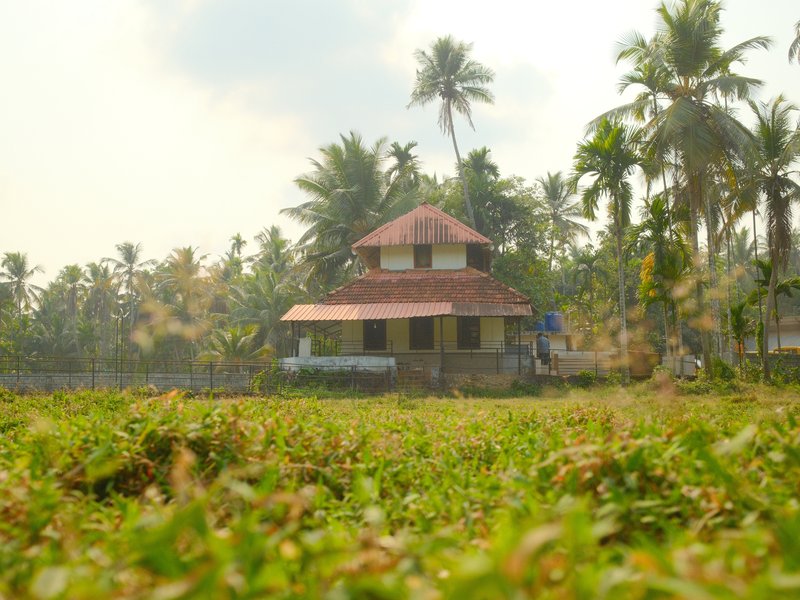
Astia Reverie
Natural tones with gentle contrast and subdued grain. Perfect for calm, warm portraits in rural settings.
 Premium
Superia Almanac
Subdued shadows paired with rich hues create an inviting calm for urban exploration.

Pastel Portra Chrome
Gentle colour shifts with subtle grain create a tranquil and nostalgic atmosphere, ideal for capturing rural scenes.
 Premium
Americana Postcard
Large grain adds an authentic retro feel to images, enhancing the warm tones and nostalgic mood in each shot.
How to add a recipe to your GFX100 II
- Access the 'Q' menu on the LCD screen.
- Navigate to the custom slot (C1-C7) you want to set.
- Select 'Edit/Save Custom Setting' from the menu.
- Adjust settings and save to the selected custom slot.
Tips for the GFX100 II
- Use IBIS for handheld stability.
- Explore Pixel Shift for ultra-high resolution.
- Customise film simulations for unique looks.
Explore other cameras
All cameras
GFX · 102 MP
GFX100RF
First fixed-lens GFX - 102 MP medium format with a 28mm equiv. prime, in the lightest GFX body yet.
View camera

GFX · 102 MP
GFX100S II
Compact 102 MP GFX with the new CMOS II sensor and 8-stop IBIS - flagship guts in a single-grip body.
View camera

GFX · 102 MP
GFX100S
Single-grip GFX100 - same 102 MP sensor in a body close to a full-frame DSLR's size.
View camera

GFX · 102 MP
GFX100
First 100 MP medium-format mirrorless with IBIS - integrated grip, dual EVF eyecup.
View camera

X-Trans V · 40.2 MP
X-E5
First X-E with IBIS - X-Trans V resolution in a precision-machined aluminium rangefinder.
View camera

X-Trans V · 40.2 MP
X-T30 III
The X-T30 III keeps the 26 MP X-Trans IV sensor but pairs it with X-Processor 5 and the modern Film Sim dial.
View camera
Key terms
Explore more GFX100 II recipes
Find the best Fujifilm recipes for the GFX100 II, its GFX sensor, and the film simulations they're built on.
Frequently asked questions
Which recipes work on the GFX100 II?
The GFX100 II can use all film-simulation recipes available in the GFX line, offering diverse creative options.
Does the GFX100 II have IBIS?
Yes, the GFX100 II features 5-axis in-body image stabilisation with up to 8 stops of correction.
How do I add a recipe to the GFX100 II?
Use the 'Q' menu to select a custom slot, choose 'Edit/Save Custom Setting', adjust settings, and save.