
Sensor
Fujifilm · Bayer · 2013
X-A1
X-A Seriescompact2013
The X-A1 brings Fujifilm's film simulations to Bayer with flair.

Resolution
16.3 MP
Stabilisation
No
Mount
X-mount
In short
The X-A1 supports most Fujifilm film simulations except Acros. Recipes from X-Trans bodies may render slightly differently.
Why it's the recipe body
The Fujifilm X-A1, released in 2013, marked a departure from the X-Trans sensor, adopting a traditional Bayer sensor while maintaining the X-series charm. Its compact body and tilting LCD screen make it a joy to shoot with, offering ease and spontaneity. The absence of a viewfinder encourages a more casual shooting style, perfect for capturing candid moments. The 16.3 MP Bayer APS-C sensor, combined with the EXR Processor II, delivers images with vibrant colours and fine detail. While the handling is straightforward, it retains the beloved film simulations that Fujifilm is known for, albeit with some differences in rendering compared to its X-Trans siblings.
The X-A1, equipped with a Bayer sensor, runs most Fujifilm film simulations, excluding Acros. While recipes from newer X-Trans IV bodies can be replicated, expect subtle differences in rendering. This body lacks features like Clarity, Grain Size, and Colour Chrome FX Blue, and white-balance shift cannot be saved per custom slot.
The X-A1 was Fujifilm's first X-mount body with a Bayer sensor, expanding its appeal.
What it nails, what to watch
What it nails
- Compact and lightweight design.
- Tilting LCD for flexibility.
- Built-in Wi-Fi for sharing.
- Access to X-mount lenses.
- Vibrant film simulations.
What to watch
- No Acros simulation.
- Lacks viewfinder entirely.
- No in-body stabilisation.
- White-balance shift not savable.
What this body adds
SE
Sensor
16.3 MP Bayer APS-C
PR
Processor
EXR Processor II
MO
Mount
X-mount (interchangeable)
VI
Viewfinder
None (LCD only)
RE
Rear screen
Tilting 3-inch
WI
Wi-Fi
Built-in
Recipes for the X-A1
All recipesNo recipes tested on the X-A1 yet — browse the Bayer generation for looks that share its sensor.
How to add a recipe to your X-A1
- Access Menu > Shooting Settings.
- Select 'Custom Setting' to choose a slot.
- Adjust film simulation and settings as desired.
- Save your settings to the selected slot.
Tips for the X-A1
- Use the tilting screen for creative angles.
- Rely on Wi-Fi for easy sharing.
- Experiment with film simulations.
Explore other cameras
All cameras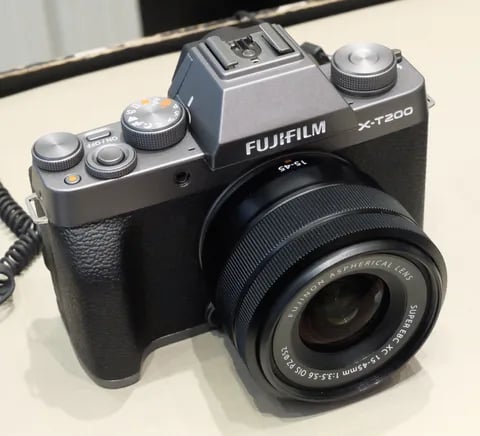
Bayer · 24.2 MP
X-T200
X-T100's successor - faster AF, 4K/30p video, and a vari-angle touchscreen.
View camera
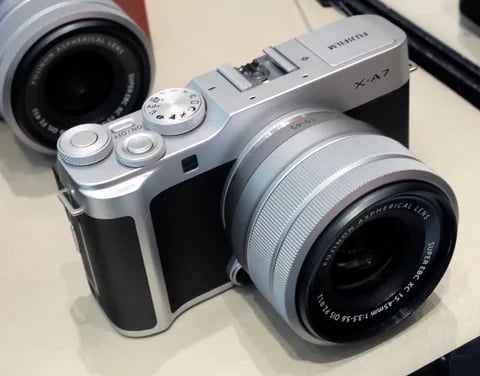
Bayer · 24.2 MP
X-A7
Last X-A flagship - copper-wired sensor, 4K/30p video, and a 3.5-inch vari-angle screen.
View camera

Bayer · 16.3 MP
X-A20
Asia-market refresh of the X-A10 - same 16 MP Bayer chassis, minor firmware updates.
View camera
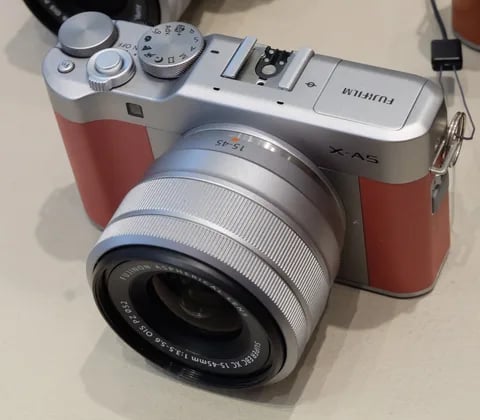
Bayer · 24.2 MP
X-A5
Phase-detect AF arrives in the X-A line - faster focus and 4K (3 fps) timelapse.
View camera
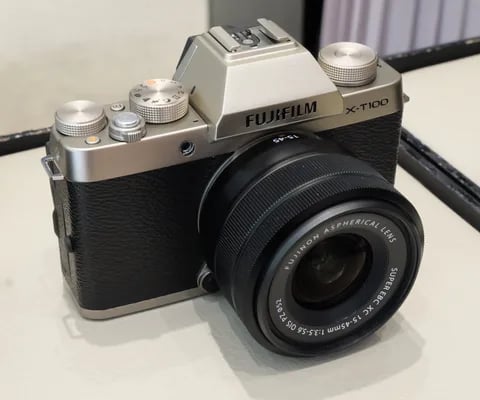
Bayer · 24.2 MP
X-T100
Entry-level X-T with a Bayer sensor - lower cost, same Fuji film simulations.
View camera

Bayer · 24.2 MP
XF10
Pocket Bayer compact with a 28mm equiv. prime - X70's spiritual successor at a budget price.
View camera
Key terms
Explore more X-A1 recipes
Find the best Fujifilm recipes for the X-A1, its Bayer sensor, and the film simulations they're built on.
Frequently asked questions
Which recipes work on the Fujifilm X-A1?
The Fujifilm X-A1 supports most film simulations, excluding Acros. Expect slight rendering differences from X-Trans bodies.
Does the X-A1 have in-body stabilisation?
No, the Fujifilm X-A1 does not have in-body image stabilisation.
How do I add a recipe to the X-A1?
Access the menu, select 'Custom Setting', choose a slot, adjust settings, and save to apply a recipe.