
Sensor
Fujifilm · Bayer · 2016
X-A10
X-A Seriescompact2016
Capture life in vibrant colours with the Fujifilm X-A10.

Resolution
16.3 MP
Stabilisation
No
Mount
X-mount
In short
The X-A10 works with most Fujifilm recipes but lacks Acros. Recipes can be saved to seven custom slots.
Why it's the recipe body
The Fujifilm X-A10, with its 16.3 MP Bayer sensor, offers a straightforward yet charming shooting experience. As an entry-level model, its compact body feels light in hand, making it perfect for everyday photography. The 180-degree tilting screen is a delightful addition for selfies and creative angles. Although it lacks the distinct X-Trans look, this Bayer sensor still delivers beautiful images. The absence of Acros film simulation might be a slight drawback for some, but its classic Fujifilm colour rendering remains appealing. An ideal camera for those wishing to explore Fujifilm's renowned film simulations without the complexity of higher-tier models.
Despite its entry-level status, the X-A10 supports most Fujifilm film simulations, except for Acros. While it doesn't offer the full feature set of newer models, it still allows for creative experimentation. This model misses some advanced features like Acros and Colour Chrome, but provides a solid foundation for classic Fujifilm looks, easily saved in seven custom slots. The simplicity of this Bayer sensor makes it an accessible choice for those new to Fujifilm's colour science.
The X-A10 represents Fujifilm's accessible gateway into the X-series, sharing internals with the X-A2.
Compared to the X-A2, the X-A10 offers similar performance but with a more user-friendly interface.
What it nails, what to watch
What it nails
- Compact and portable design
- Interchangeable X-mount lenses
- Built-in Wi-Fi
- Seven custom slots
- User-friendly interface
What to watch
- Lacks Acros simulation
- No in-body stabilization
- Discontinued model
- Simpler Bayer sensor
What this body adds
SE
Sensor
16.3 MP Bayer APS-C
PR
Processor
EXR Processor II
MO
Mount
X-mount (interchangeable)
RE
Rear screen
180-degree tilt 3-inch
WI
Wi-Fi
Built-in
Recipes for the X-A10
All recipesNo recipes tested on the X-A10 yet — browse the Bayer generation for looks that share its sensor.
How to add a recipe to your X-A10
- Navigate to the camera menu.
- Select 'Image Quality Setting'.
- Choose 'Custom Setting' and select a slot.
- Input desired settings and save.
Tips for the X-A10
- Utilise the tilting screen for creative angles.
- Experiment with different film simulations.
- Save favourite settings in custom slots.
Explore other cameras
All cameras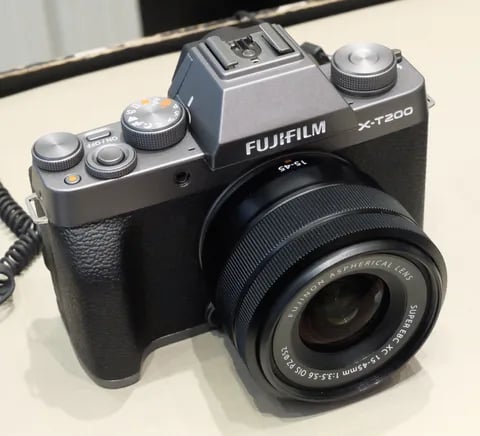
Bayer · 24.2 MP
X-T200
X-T100's successor - faster AF, 4K/30p video, and a vari-angle touchscreen.
View camera
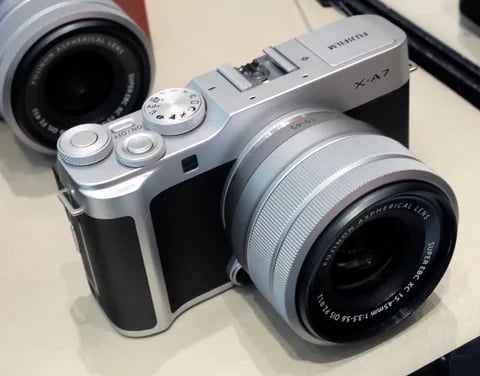
Bayer · 24.2 MP
X-A7
Last X-A flagship - copper-wired sensor, 4K/30p video, and a 3.5-inch vari-angle screen.
View camera

Bayer · 16.3 MP
X-A20
Asia-market refresh of the X-A10 - same 16 MP Bayer chassis, minor firmware updates.
View camera
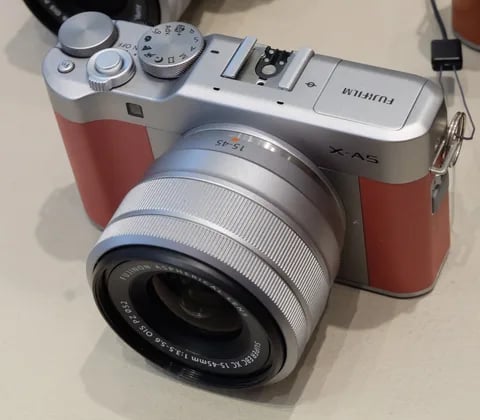
Bayer · 24.2 MP
X-A5
Phase-detect AF arrives in the X-A line - faster focus and 4K (3 fps) timelapse.
View camera
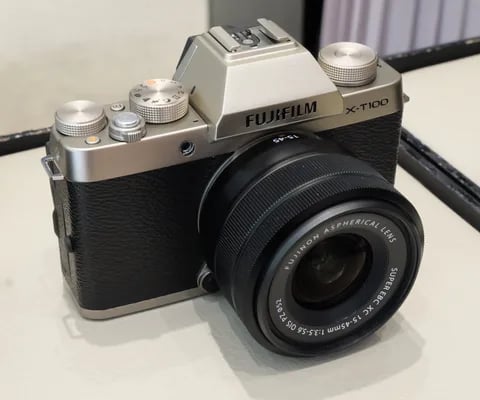
Bayer · 24.2 MP
X-T100
Entry-level X-T with a Bayer sensor - lower cost, same Fuji film simulations.
View camera

Bayer · 24.2 MP
XF10
Pocket Bayer compact with a 28mm equiv. prime - X70's spiritual successor at a budget price.
View camera
Key terms
Explore more X-A10 recipes
Find the best Fujifilm recipes for the X-A10, its Bayer sensor, and the film simulations they're built on.
Frequently asked questions
Which recipes work on the X-A10?
The X-A10 supports most Fujifilm recipes but lacks Acros. You can save recipes to seven custom slots.
Does the X-A10 have in-body stabilisation?
No, the Fujifilm X-A10 does not have in-body image stabilisation. It relies on the lens for stabilisation.
How do I add a recipe to the X-A10?
To add a recipe, go to the menu, select 'Image Quality Setting', then 'Custom Setting', choose a slot, and input the settings.