
Sensor
Fujifilm · EXR · 2015
XQ2
Compactcompact2015
Experience classic Fujifilm charm in a pocket-sized powerhouse.

Resolution
12 MP
Stabilisation
No
Lens
25-100mm f/1.8-4.9 equiv. (4x zoom)
In short
The XQ2 can run older Fujifilm film-simulation recipes designed for EXR-CMOS sensors, but lacks newer features like Classic Chrome and Acros.
Why it's the recipe body
The Fujifilm XQ2 offers a delightful compact experience with its 12 MP EXR CMOS II sensor. Released in 2015, it's a throwback to the era before the X-Trans sensor took over, providing a unique shooting feel. The 25-100mm f/1.8-4.9 zoom lens ensures flexibility, from wide-angle landscapes to tight portraits. It feels robust, fitting snugly in the hand, making it ideal for spontaneous photography. Its classic design and intuitive controls invite a nostalgic charm, reminding one of Fujifilm's rich photographic heritage. Despite lacking some modern film-simulation features, it still delivers a satisfying photographic experience for enthusiasts who appreciate compact versatility.
With the XQ2, you're diving into the world of Fujifilm's older EXR-CMOS sensor films. This means you can enjoy early film simulations, albeit missing features like Classic Chrome, Acros, and others. Notably, the white-balance shifts cannot be saved per custom slot, so you'll need to adjust those settings manually each time. Embrace its simplicity and explore the fundamentals of Fujifilm's film simulations, capturing images with character and depth.
The XQ2 is part of Fujifilm's compact range, offering a classic feel in a digital age.
Compared to the X30, the XQ2 is smaller and more pocketable, sacrificing some manual controls.
What it nails, what to watch
What it nails
- Compact and portable design.
- Bright f/1.8 wide lens.
- Built-in Wi-Fi connectivity.
- 7 custom slots available.
What to watch
- No IBIS for stabilisation.
- Limited film-simulation features.
- No Classic Chrome support.
- WB shift not savable per slot.
What this body adds
SE
Sensor
12 MP X-Trans CMOS II, 2/3-inch
LE
Lens
25-100mm f/1.8-4.9 equiv.
PR
Processor
EXR Processor II
WI
Wi-Fi
Built-in
Recipes for the XQ2
All recipes
How to add a recipe to your XQ2
- Navigate to the shooting menu.
- Select 'Custom Settings'.
- Choose a slot (C1–C7) to modify.
- Adjust settings to match the desired recipe.
Tips for the XQ2
- Use C1-C7 for quick access.
- Maximise wide aperture for portraits.
- Utilise the zoom for varied compositions.
- Experiment with early film simulations.
Explore other cameras
All cameras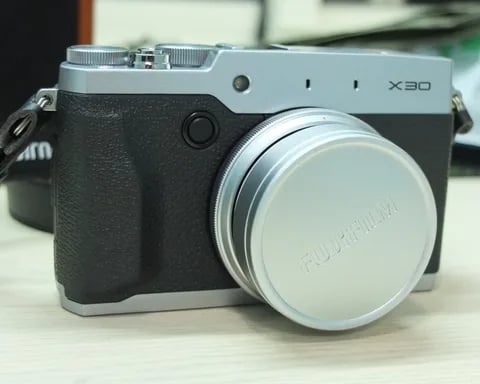
EXR · 12 MP
X30
Last of the 2/3-inch X-series compacts - EVF replaces OVF, tilt screen, classic dials.
View camera
EXR · 12 MP
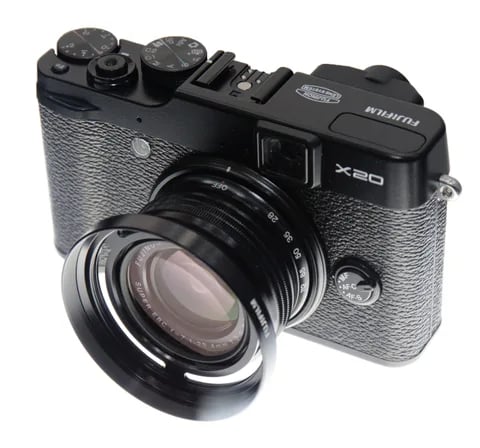
X20
X10 successor with the 2/3-inch X-Trans II sensor - sharper output and a digital info OVF.
View camera
XF1
EXR · 12 MP
XF1
Slim manual-zoom compact - synthetic-leather wrap and the EXR-CMOS sensor.
View camera
EXR · 12 MP
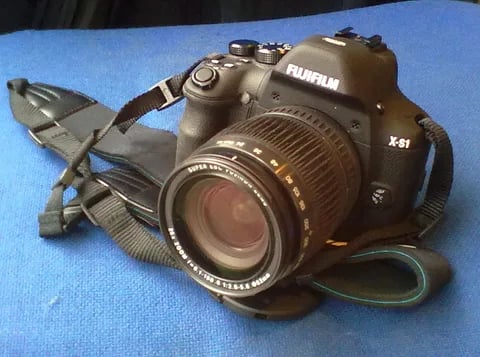
X-S1
Bridge superzoom with the EXR-CMOS sensor - 26x reach in a DSLR-style body.
View camera
EXR · 12 MP
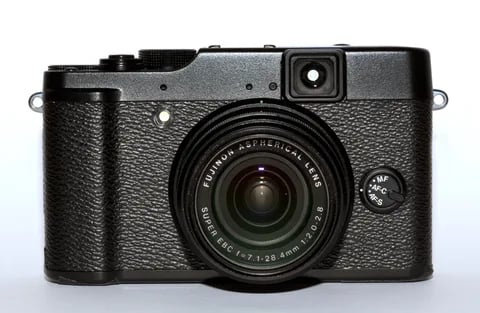
X10
First X-series enthusiast compact - manual zoom ring, optical viewfinder, and the EXR-CMOS sensor.
View camera
GFX100RF
GFX · 102 MP
GFX100RF
First fixed-lens GFX - 102 MP medium format with a 28mm equiv. prime, in the lightest GFX body yet.
View camera
Key terms
Explore more XQ2 recipes
Find the best Fujifilm recipes for the XQ2, its EXR sensor, and the film simulations they're built on.
Frequently asked questions
Which recipes work on the Fujifilm XQ2?
The XQ2 supports older EXR-CMOS recipes but lacks newer simulations like Classic Chrome and Acros.
Does the XQ2 have in-body stabilisation?
No, the Fujifilm XQ2 does not feature in-body image stabilisation (IBIS).
How do I add a recipe to the XQ2?
Navigate to 'Custom Settings', choose a slot (C1–C7), and adjust settings to match the recipe.