Fuji Flavours

X-Trans VNostalgic Neg.Colour4 photos

Kodak Sunwashed Recipe

Embrace nostalgia with the Kodak Sunwashed recipe's warmth and vibrancy.
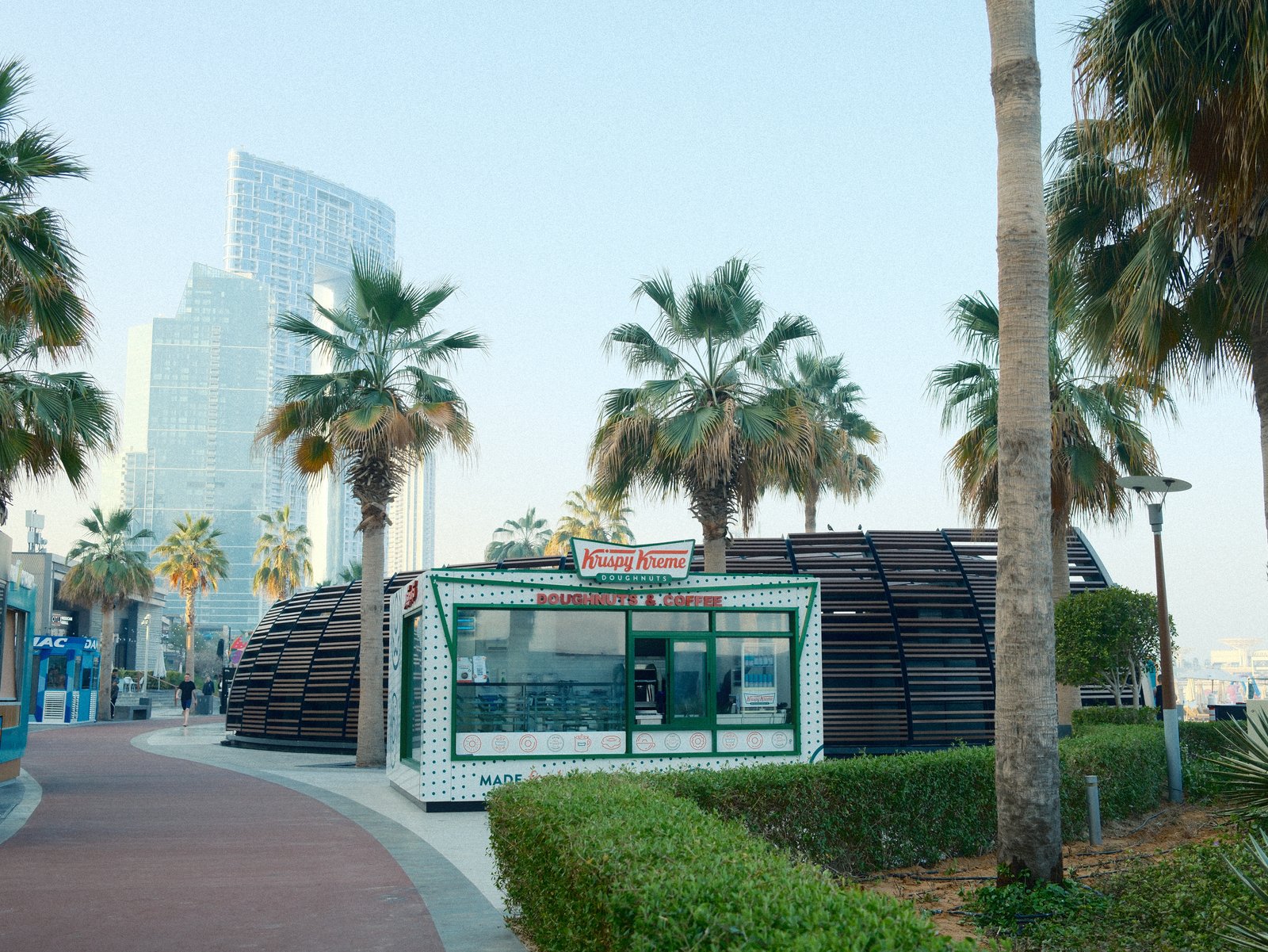
A modern building surrounded by palm trees along a coastal promenade with city skyscrapers in the background.
Difficulty
Intermediate
Film simulation
Nostalgic Neg.
Tested on
X-E5
Sample frames
4

The lookWhy this one earns a slot

Kodak Sunwashed captures the rich, warm tones and vibrant hues reminiscent of the iconic film. This recipe excels in rendering scenes with a nostalgic, cinematic feel, thanks to its use of strong grain and vibrant colours. The highlights are gentle yet full of detail, and shadows are deep and dramatic, creating a striking contrast that adds depth to your images. The cool white balance shift infuses a subtle bluish cast, evoking the dreamy quality of vintage prints. This recipe thrives in golden-hour light, where its ability to capture warm, glowing tones brings a sense of timelessness to landscapes and street photography. It might remind you of faded travel postcards, with a texture and colour profile that feels authentically retro yet surprisingly fresh.

The settingsThe recipe

Nostalgic Neg. · X-Trans V

Film Simulation
Nostalgic Neg.
Dynamic Range
DR400
White Balance
Custom Kelvin, 4500K, +2 R / −5 B
Highlight
−1
Shadow
+2
Color
+3
Sharpness
−1
Noise Reduction
−4
Clarity
−2
Grain
Strong, Large
Color Chrome Effect
Strong
Color Chrome FX Blue
Strong
ISO
6400
Exposure Comp.
+1/3 to +1

How to copy it to your camera

  1. Open the Image Quality (IQ) menu and select an empty custom setting slot (C1–C7).
  2. Set the base film simulation to Nostalgic Neg..
  3. Enter each value from the settings above, then save the slot.
  4. Select that slot to shoot Kodak Sunwashed JPEGs straight out of camera.

Sample framesShot on this recipe

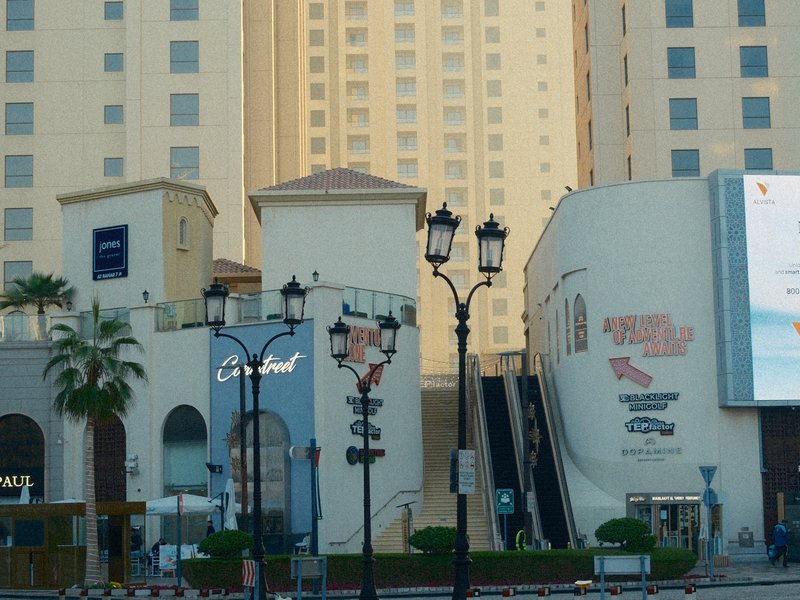
Colorful facade of a cafe with a star sign and outdoor seating in an urban setting.
Architecture · Urban · Unknown
Urban scene featuring modern buildings, street lamps, and palm trees under soft evening light.
Architecture · Urban · Golden Hour
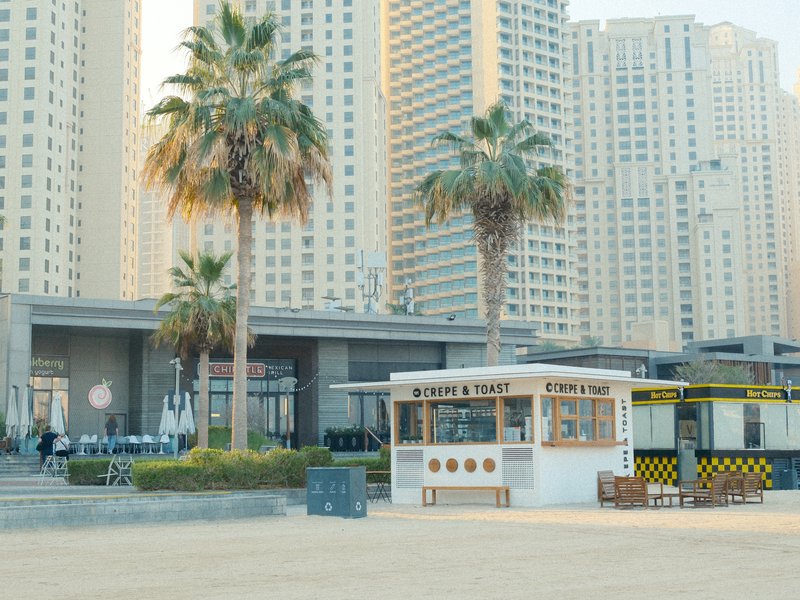
A beachside kiosk with palm trees and tall buildings in the background under soft light.
Architecture · Coastal · Golden Hour

Notes & caveatsWhat it nails, what to watch

What it nails

  • Rich, warm tones with vibrant hues
  • Strong grain adds vintage texture
  • Excels in golden-hour light
  • Deep shadows for dramatic contrast

What to watch

  • Cool WB shift may affect blue tones
  • Strong grain at high ISO
  • Not ideal for sharp subjects

Explore similar

KodakVintageFadedTravel

CompatibilityWill it work on your camera?

Tested across the X-Trans V and GFX generations — compatibility is defined by sensor, so any body on these generations can run it.

Best forWhen to reach for it

Ideal for capturing the warm glow of golden-hour landscapes or the vibrant bustle of markets and urban scenes. Its nostalgic feel shines in scenes with vintage or faded elements. Less suited for subjects needing sharp, modern clarity. Emphasises the charm of retro subjects.

Best for

Scenes and subjects this recipe is tuned for.

VintageFadedTravel

Less suited to

Where another look will likely serve you better.
Sharp modern subjects
Learn more

Frequently asked questions

Which cameras support Kodak Sunwashed?

Kodak Sunwashed is designed for Fujifilm X-Trans V and GFX cameras. Compatible bodies include the X-E5, X-H2, X-H2S, X-M5, X-S20, X-T30 III, X-T5, X-T50, X100VI, GFX100 II, GFX100RF, and GFX100S II.

Why does Kodak Sunwashed use a 4500K white balance for outdoor scenes?

The 4500K Kelvin setting provides a deliberate colour starting point that works with the recipe's R +2 and B -5 white balance shift. Together, they push the final rendering toward a noticeably warm, golden character, regardless of whether you are shooting a coastal promenade, street, or café.

What scenes suit Kodak Sunwashed best?

Kodak Sunwashed works particularly well for coastal streets, travel scenes, cafés, and beachside settings where warm colour and strong film texture complement the surroundings. This works the best in things like a palm-lined promenade, colourful café, urban streets, and a beachside kiosk, while golden-hour light further strengthens its nostalgic character.

When should you avoid using Kodak Sunwashed?

Fine-detail subjects and very high-ISO low-light scenes are less suitable when you want a clean, precise rendering. Strong, large grain combined with reduced clarity can become a dominant part of the image, making delicate textures and small details less controlled when the scene already demands maximum sharpness.

What does +2 Shadow combined with -1 Highlight do to the contrast?

The +2 Shadow setting lifts darker areas while Highlight -1 slightly reduces the brightest tones. Together, these adjustments compress the tonal range toward a gentler contrast structure, allowing Kodak Sunwashed to retain its warm, vintage character while avoiding excessively bright highlights and overly heavy shadow separation.
The Fuji Pic app

Every recipe.Every detail.Now in your pocket.

Browse the whole catalogue, unlock the premium recipes, and keep every setting in front of you while you shoot.

Free to download · iPhone and Android
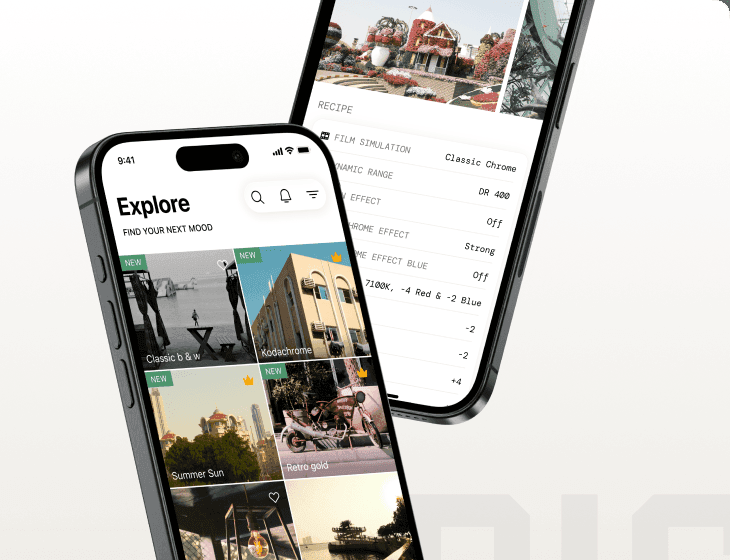
The Fuji Pic app on iPhone, showing the recipe gallery and a recipe's full settings