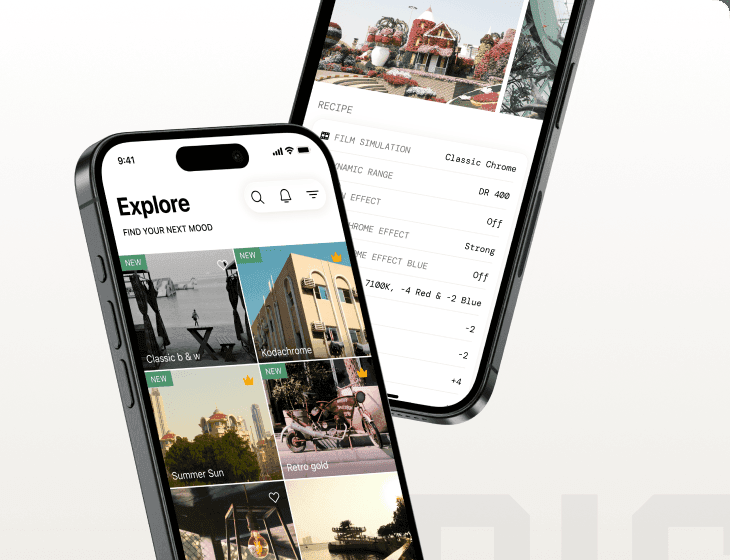
Sensor
Fujifilm · X-Trans IV · 2021
X-T30 II
X-T SeriesDSLR-style2021
Capture your moments with the compact and capable X-T30 II.

Resolution
26.1 MP
Stabilisation
No
Mount
X-mount
In short
The Fujifilm X-T30 II supports X-Trans IV recipes like Classic Negative and Eterna. Early X-Trans IV bodies lack Clarity and other features.
Why it's the recipe body
The Fujifilm X-T30 II is an engaging camera to work with, offering the beloved DSLR-style body with updated features. The 26.1 MP X-Trans CMOS 4 sensor is at the heart of this model, bringing with it a significant jump in film-simulation flexibility. Handling is a joy, with its lightweight, compact design and intuitive controls, making it perfect for street and travel photography. The new 1.62M-dot touchscreen enhances the shooting experience, allowing for easy navigation and quick adjustments. Whether you're capturing stills or 4K video, the X-T30 II delivers stunning images and a satisfying shooting experience.
The X-T30 II, equipped with the X-Trans IV sensor, supports a variety of compelling film simulation recipes, including Classic Negative and Eterna. However, as an early X-Trans IV body, it lacks features like Clarity, Grain Size, and Colour Chrome FX Blue. Additionally, white-balance shifts cannot be saved per custom slot, so plan accordingly when configuring your settings.
The X-T30 II builds on the success of the X-T30, with improved features.
Compared to the X-T30, the X-T30 II offers a higher-resolution LCD and updated firmware.
What it nails, what to watch
What it nails
- 26.1 MP X-Trans IV sensor
- Classic Negative available
- Compact, lightweight body
- Tilting touchscreen display
- 4K video at 30p
What to watch
- No in-body stabilisation
- Early X-Trans IV lacks Clarity
- No Grain Size control
- WB shift not savable per slot
What this body adds
SE
Sensor
26.1 MP X-Trans CMOS 4 BSI
PR
Processor
X-Processor 4
MO
Mount
X-mount (interchangeable)
VI
Video
4K UHD 30p
BU
Burst
8 fps mechanical / 30 fps electronic
RE
Rear screen
1.62M-dot tilting touchscreen
Recipes for the X-T30 II
All recipes

How to add a recipe to your X-T30 II
- Select 'Edit/Save Custom Setting' in the menu.
- Choose a custom slot (C1–C7) to save the recipe.
- Input desired film simulation settings into the slot.
- Name the custom setting for easy recall.
Tips for the X-T30 II
- Use touchscreen for quick settings access.
- Try Classic Negative for street photography.
- Regularly update firmware for best performance.
- Utilise electronic shutter for silent shooting.
Explore other cameras
All cameras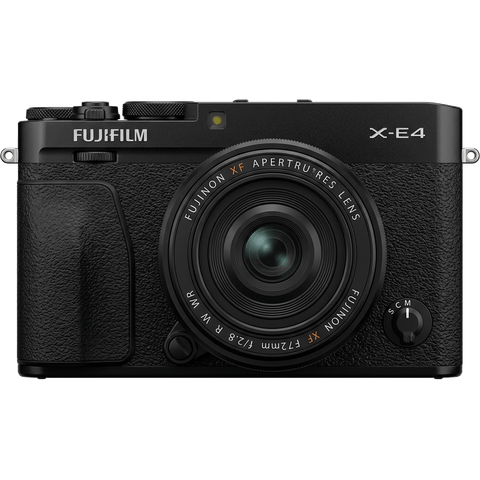
X-Trans IV · 26.1 MP
X-E4
Stripped-down X-Trans IV rangefinder - flat top, tilt screen, no grip; pure simplicity.
View camera

X-Trans IV · 26.1 MP
X-S10
Compact body with IBIS at a mid-range price - PSAM-style controls instead of dials.
View camera

X-Trans IV · 26.1 MP
X-T4
First X-T with IBIS - the all-rounder that anchored the X-Trans IV recipe boom.
View camera

X-Trans IV · 26.1 MP
X100V
The X100 that went viral - new lens, weather sealing, and X-Trans IV in the body that defined a decade.
View camera

X-Trans IV · 26.1 MP
X-Pro3
The hidden-LCD rangefinder - built around analogue habits and a titanium top plate.
View camera
X-Trans IV · 26.1 MP
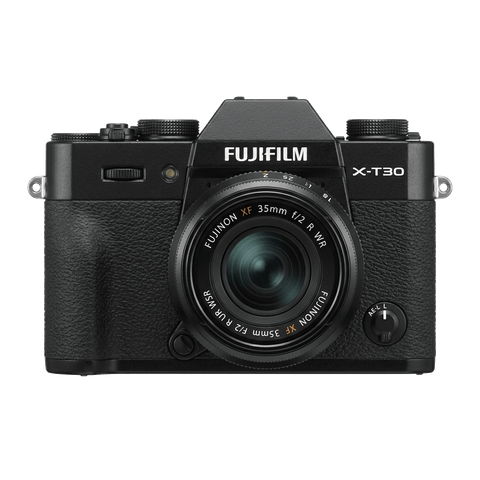
X-T30
The recipe darling - X-Trans IV, no IBIS, but loved for its size and dials.
View camera
Key terms
Explore more X-T30 II recipes
Find the best Fujifilm recipes for the X-T30 II, its X-Trans IV sensor, and the film simulations they're built on.
Frequently asked questions
Which recipes work on the X-T30 II?
The X-T30 II supports X-Trans IV recipes like Classic Negative and Eterna, but lacks Clarity.
Does the X-T30 II have in-body stabilisation?
No, the X-T30 II does not feature in-body image stabilisation, relying instead on lens-based stabilisation.
How do I add a film simulation recipe to the X-T30 II?
Select 'Edit/Save Custom Setting' in the menu, choose a slot (C1–C7), input your settings, and name it.