
Sensor
Fujifilm · GFX · 2023
GFX100 II
GFXmedium-format2023IBIS
Experience unparalleled detail with the GFX100 II, capturing every moment in stunning clarity.
Resolution
102 MP
Stabilisation
Yes (8 stops)
Mount
G-mount
In short
The GFX100 II can use all film-simulation recipes available in the GFX line, offering diverse creative options.
Why it's the recipe body
The GFX100 II is a masterclass in medium-format photography, housing a 102 MP CMOS II BSI sensor that redefines detail and dynamic range. Shooting with this camera feels as if you're wielding a precision instrument. Its X-Processor 5 ensures swift performance, making it a joy to capture both stills and videos. The tactile experience is enhanced by its ergonomic design and robust build, providing confidence whether on a studio shoot or in the great outdoors. Its ability to render Fujifilm's beloved film simulations on such a large sensor ensures that every shot carries the distinctive Fujifilm aesthetic.
The GFX100 II is compatible with all film-simulation recipes in the GFX line, thanks to its advanced sensor and processor. With seven custom slots, photographers can save and switch between their favourite looks. This body allows full feature use, including savable white-balance shifts and clarity adjustments, offering maximum creative control.
The GFX100 II marks a significant evolution in Fujifilm's medium-format line, offering cutting-edge technology in a refined package.
What it nails, what to watch
What it nails
- 102 MP medium-format sensor
- 8K video capability
- 5-axis IBIS, 8 stops
- Seven custom slots
- Pixel Shift for 400 MP images
What to watch
- Large body size
- Complex menu system
- High power consumption
What this body adds
SE
Sensor
102 MP GFX 102MP CMOS II BSI
PR
Processor
X-Processor 5
MO
Mount
G-mount (interchangeable)
IB
IBIS
5-axis, up to 8 stops
BU
Burst
8 fps mechanical
VI
Video
8K 30p / 4K 60p ProRes / Apple ProRes RAW
Recipes for the GFX100 II
All recipes
Texas Sun
Warm tones with a hint of grit, capturing the vibrant essence of sunlit streets. Perfect for urban architecture and everyday moments.

Universal Provia
Strong, small grain and calm tones suit serene scenes indoors and out.

Velvia 100f
Vivid greens and blues with strong grain for outdoor shots. Ideal for capturing the vibrancy of urban landscapes.

Velvia Film
Saturated colours with a vibrant touch, ideal for landscapes and outdoor scenes. Calming yet vivid, with fine grain.

Vibrant Arizona
Copper hues and delicate grain create calm nostalgia for capturing daily life and travel memories beautifully.

Vintage Bronze
Eterna Bleach Bypass creates a metallic glow with muted tones. Perfect for urban landscapes and cinematic scenes.

Vintage Cinema
Sepia tones and noticeable grain create a vintage cinematic feel. Perfect for travel and capturing nostalgic moments.
How to add a recipe to your GFX100 II
- Access the 'Q' menu on the LCD screen.
- Navigate to the custom slot (C1-C7) you want to set.
- Select 'Edit/Save Custom Setting' from the menu.
- Adjust settings and save to the selected custom slot.
Tips for the GFX100 II
- Use IBIS for handheld stability.
- Explore Pixel Shift for ultra-high resolution.
- Customise film simulations for unique looks.
Explore other cameras
All camerasGFX100RF
GFX · 102 MP
GFX100RF
First fixed-lens GFX - 102 MP medium format with a 28mm equiv. prime, in the lightest GFX body yet.
View camera
GFX100S II
GFX · 102 MP
GFX100S II
Compact 102 MP GFX with the new CMOS II sensor and 8-stop IBIS - flagship guts in a single-grip body.
View camera
GFX 50S II
GFX · 51.4 MP
GFX 50S II
First 50 MP GFX with IBIS - the most affordable medium-format mirrorless at launch.
View camera
GFX100S
GFX · 102 MP
GFX100S
Single-grip GFX100 - same 102 MP sensor in a body close to a full-frame DSLR's size.
View camera
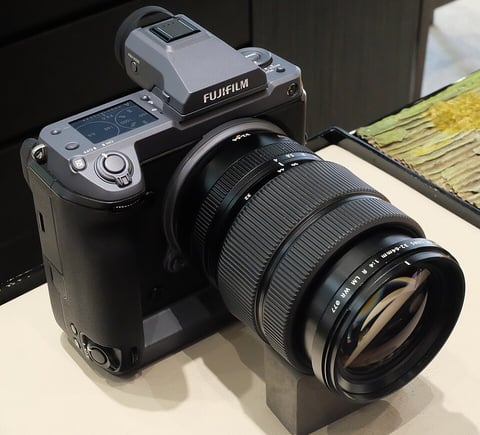
GFX · 102 MP
GFX100
First 100 MP medium-format mirrorless with IBIS - integrated grip, dual EVF eyecup.
View camera
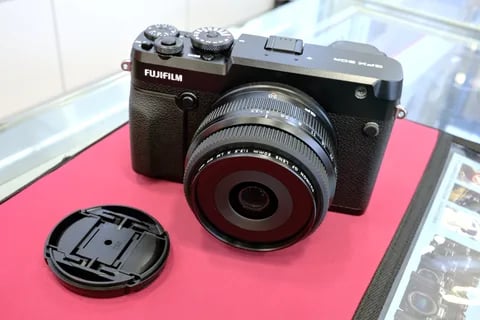
GFX · 51.4 MP
GFX 50R
Rangefinder-style GFX - 51 MP medium format at a more accessible price and weight.
View camera
Key terms
Explore more GFX100 II recipes
Find the best Fujifilm recipes for the GFX100 II, its GFX sensor, and the film simulations they're built on.
Frequently asked questions
Which recipes work on the GFX100 II?
The GFX100 II can use all film-simulation recipes available in the GFX line, offering diverse creative options.
Does the GFX100 II have IBIS?
Yes, the GFX100 II features 5-axis in-body image stabilisation with up to 8 stops of correction.
How do I add a recipe to the GFX100 II?
Use the 'Q' menu to select a custom slot, choose 'Edit/Save Custom Setting', adjust settings, and save.